
The iPhone has a feature for hiding photos in which it removes pictures you don’t want everyone to see from your regular photos. Many people use it to quickly keep things private, and it seems safe. But it’s a bit more complex than that, and “hidden” doesn’t necessarily mean something is secure.
Data breaches are becoming a bigger problem. A new Apple-requested report states that in the past two years, around 2.6 billion individual items of personal information have been shown in data breaches, and this number is still rising.
As we continue to save personal memories, important documents, and confidential files on our iPhones, privacy becomes a bigger concern.
This blog will tell you what “hidden photos iPhone” means, how to do it (covering how to hide photos on your iPhone and hide pictures on your iPhone), and what the dangers of relying on this are.
What “Hidden Photos” Really Means on iPhone
When you ‘hide’ a picture, it doesn’t get deleted from your phone. Instead, it just goes into an album named “Hidden.” This means:
- The photo is still stored on your device
- It is still part of your photo library
- It is only removed from the main gallery view
So, hidden photos iPhone is more about organization than true privacy.
Why Apple Added This Feature
Apple made this feature with straightforward things in mind:
- Tidying up your main photos
- Hiding pictures that are private from people who just glance at your phone
- Getting your own collections of photos in order
It wasn’t meant to be a way to really protect very, very confidential stuff.
How to Hide Photos on iPhone
If you are searching for how to hide photos on iPhone, the process is very easy.
- Open the Photos app
- Select the image or video you want to hide
- Tap the Share button
- Scroll down and tap Hide
- Confirm by tapping Hide Photo
The photo will now move to the Hidden album.
How to Find Hidden Photos
To view them:
- Open Photos
- Go to Albums
- Scroll to Utilities
- Tap Hidden
How to Improve Privacy a Bit
You can make it slightly harder to access:
- Go to Settings and select Photos
- Turn off Show Hidden Album
This removes the album from view, but it does not lock or encrypt the content.
Are Hidden Photos on iPhone Really Private?
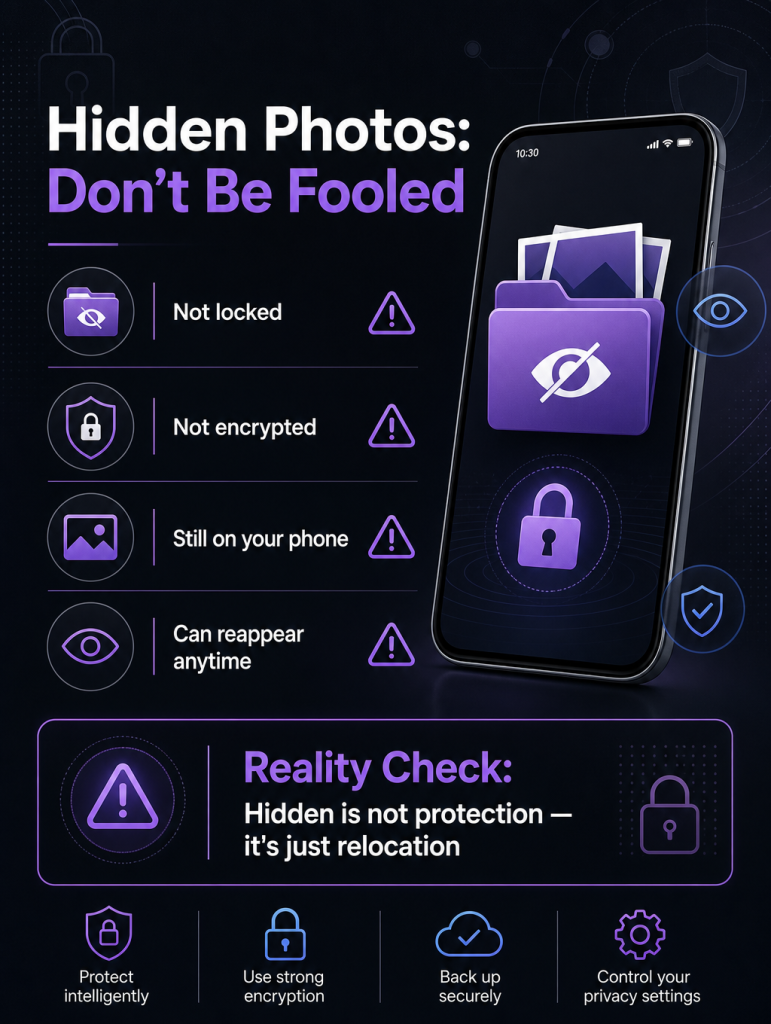
The biggest thing to understand is that your photos aren’t completely private. Simply hiding photos doesn’t really make them secure; it just gets them out of the main view.
In practical terms, the photos are still on your phone, aren’t encrypted with a special code of their own, and in certain circumstances could even be found. They might even show up in your phone’s backups or when it shares data.
So, although hiding them prevents you from seeing them quickly, they aren’t safely locked away.
How safe your phone is overall is still important. If a person knows your phone’s PIN, uses your phone while it’s unlocked or gets into your Apple ID, they could possibly locate or get back anything you’ve hidden.
Hidden Photos iPhone: Limitations of the Apple’s Secret Album
1. No Real Encryption
Your hidden photos aren’t really encrypted. That is, they aren’t converted into something nobody can read. They’re just taken out of the main photo viewing section of your phone, but remain on the phone as they are.
2. Depends on Phone Security
How secure your hidden photos are is totally tied to how secure your phone is. This covers your phone’s passcode, how safe your Apple ID is, and your iCloud settings. If any are easy to get around or have been broken into, your hidden photos will also be easier to access.
3. Syncing Can Expose Files
If you use iCloud Photos, your hidden photos might be copied to your other Apple devices. So, they could show up on your iPad, computer, or another iPhone signed in to the same Apple ID and aren’t as separate from your other images as you’d like.
4. No Strong Lock for Hidden Album
Finally, even with the more recent security updates in iPhones, the hidden album isn’t meant to be a super secure vault. It’s more for keeping things tidy and easy to find, not for keeping confidential images safe.
Why Hidden Photos Are Not Enough for Sensitive Data
Millions of Apple users hide pictures on iPhone where they can’t be seen as a fast and easy way to get a bit of privacy. This is perfectly good for things you do all the time, like selfies, or group photos.
But you get into trouble when you start with more important stuff like IDs, bank statements, work files, and private videos. This kind of data needs a lot more safeguarding than just being in a hidden album.
Because the information is still on the regular parts of your phone, controlling who can see them isn’t enough.
Better Alternative to Hidden Photos iPhone Feature: “Encrypted Storage”
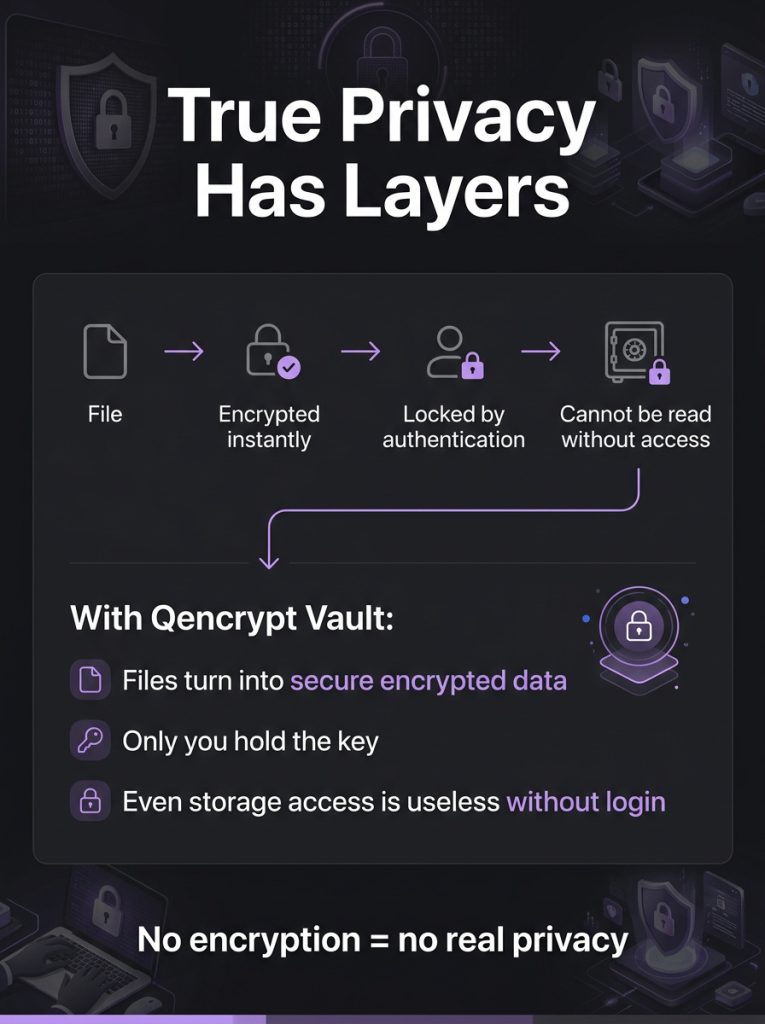
Instead of just concealing things, which is what hiding does, encrypting them is a much better and more secure way to go. Encryption doesn’t just make something not show up; it’s built to actually secure what’s in a file.
Encryption changes files into a form that’s completely incomprehensible to anyone who doesn’t have permission. You need a key, a password, or another way of proving who you are to get the file back into a usable state. So, even if a file is copied or someone breaks into your iPhone, the information or photos inside stay safe and won’t be of any use to them unless they are authorized.
Because of this, encryption is a whole lot more protective than just putting files in a hidden folder.
Qencrypt Vault: A Future-Proof Security Option
Qencrypt Vault doesn’t just hide your critical files from sight; it locks them up securely with encryption. Rather than simply concealing them, it puts them in a fully encrypted space with access that’s carefully guarded.
This vault uses sophisticated security checks, more than you’d find in your iPhone and is intended to keep your data secure for a long time.
Specifically, it employs several post-quantum cryptographic algorithms:
- CRYSTALS-Kyber: For safely swapping encryption keys and keeping file access safe when they are being sent or stored.
- Classic McEliece: Another key-swapping method, but built for strong, lasting security and to be able to withstand even more powerful computers in the future.
- CRYSTALS-Dilithium: To be sure your files are what you think they are and haven’t been messed with.
- Falcon: Which is a quick and effective way of checking if your data hasn’t been changed while also being very secure.
- SPHINCS+: Which gives another long-lasting defense using cryptography that doesn’t rely on keeping a record of things.
Hidden Photos iPhone vs Qencrypt Vault (Simple Comparison)
When you hide photos on your iPhone, they disappear from your normal photos section but are still on the phone. They aren’t encrypted, so how safe they are rests completely on your phone being secure, with things like your passcode or Apple ID. This is easy to do but doesn’t really keep things private.
Qencrypt Vault, on the other hand, encrypts your files before saving them, so the information is safe as soon as it’s on the phone. You must prove your identity to enter, and your files will remain protected if copied or moved elsewhere. It’s built for people who absolutely need to keep critical stuff secure.
Simple Tips to Improve Photo Privacy on iPhone
You can get a bit more privacy even with the security that’s already on your iPhone.
- Using Face ID instead of a password keeps people from getting into your device.
- Also, you’ll show fewer personal photos to people who are just glancing at your phone if you turn off the ability to see your Hidden Album.
- Don’t give your Apple ID to anyone, and check what’s being saved on iCloud or moved between your devices often.
- And a big thing is, don’t save very private files unless you’ve encrypted them.
Doing these things will help your privacy, but they don’t give you as much security as actually encrypting your files and using encrypted storage.
Final Thoughts
Many people believe that the Hidden Photos feature on iPhones is a great way to keep pictures safe, but it doesn’t work the way many assume. It just takes the picture out of your main photo stream. The photo itself is still on your phone and can be found with certain settings, from backups, or if someone gets into your account.
For truly private documents, important personal information, or confidential videos and photos, simply hiding isn’t enough. Encryption is much better at security, as it locks your data.
That’s where Qencrypt Vault is helpful. It uses current, strong encryption to safeguard files, rather than just hiding them. If you want true privacy and much more control over your information, you need to get this App right away.
Still confused? Try yourself for free.